I have checked a couple of tool s but this free and open source tool…
Configure Plesk to allow external MySQL Connections: 2 Easy Steps
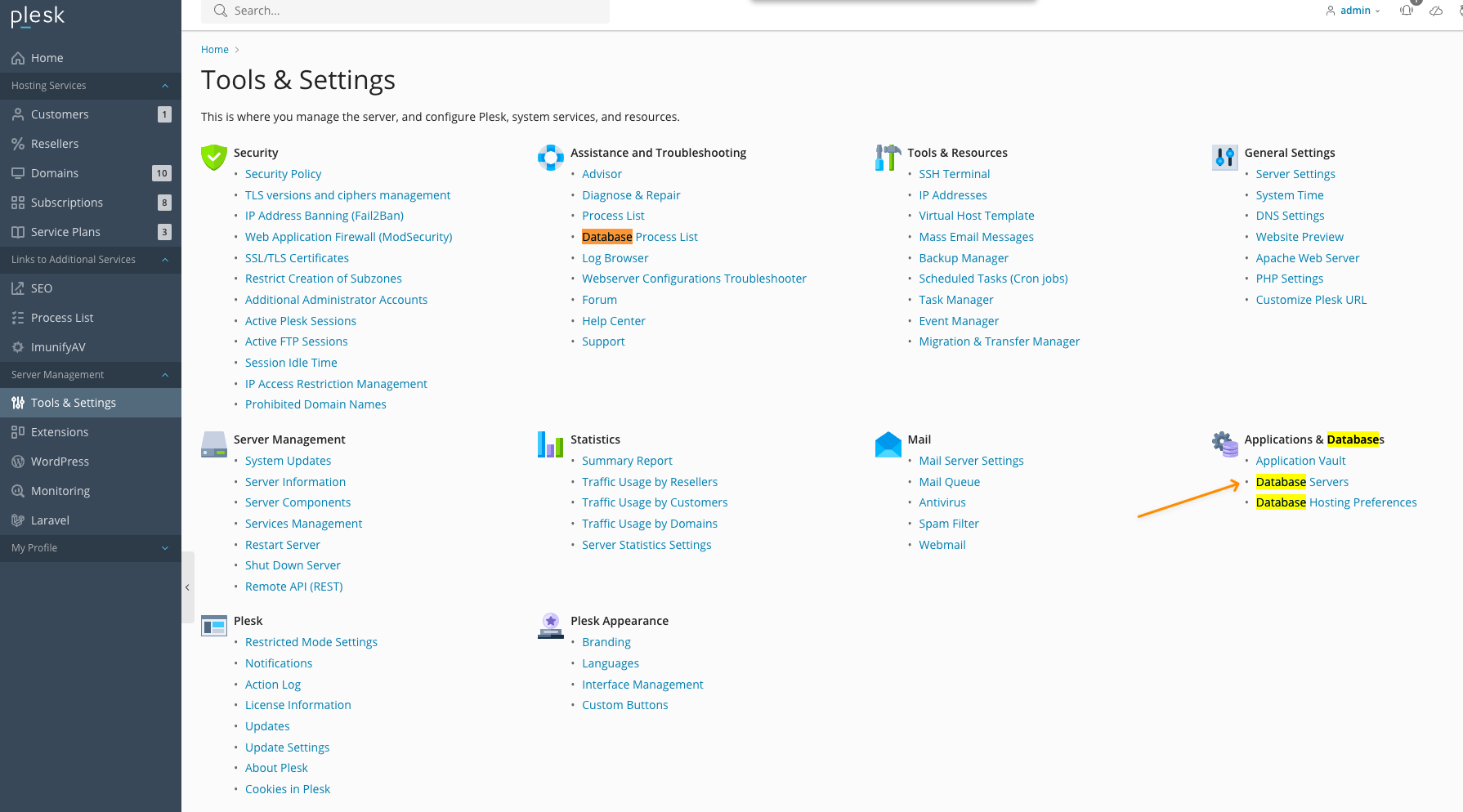
At first you need to generally allow external connections for the SQL Server in Plesk:

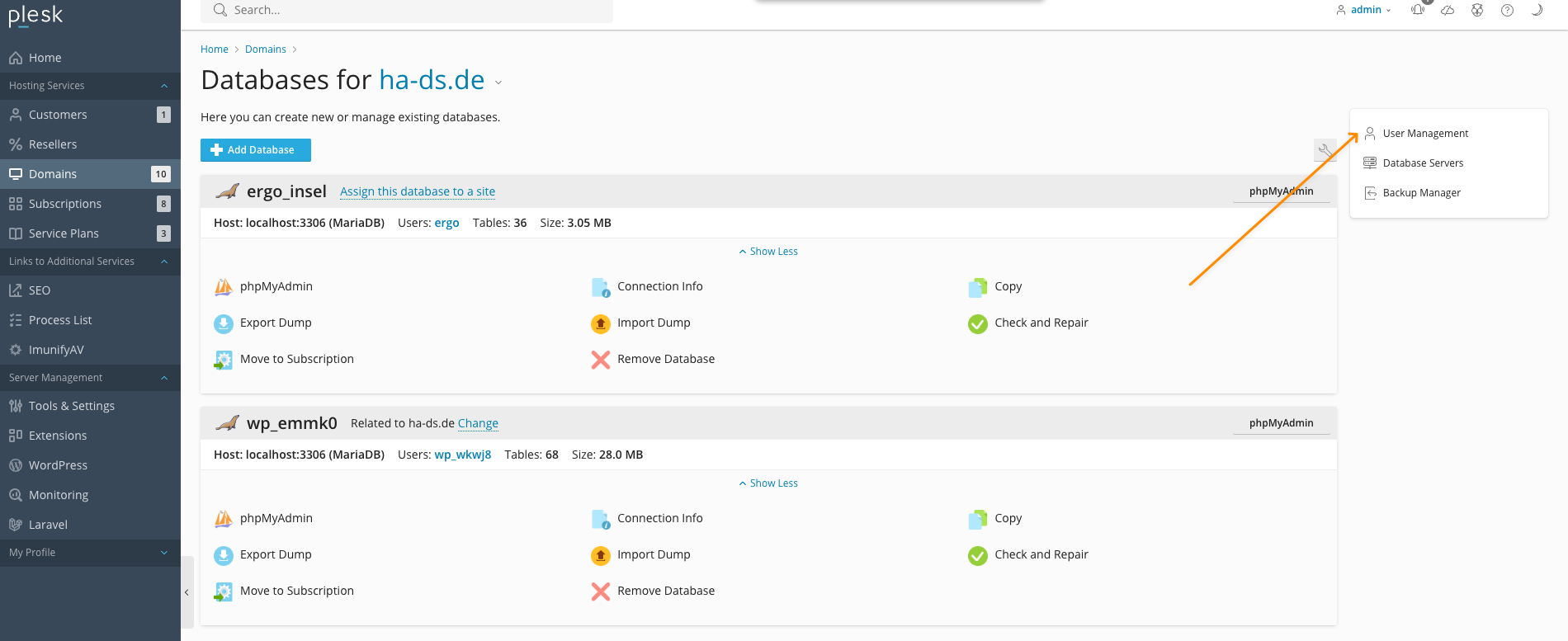
Then open your domain that contains the database you want to be accessible from a remote location and click on „Databases“ and then on „User Management“:
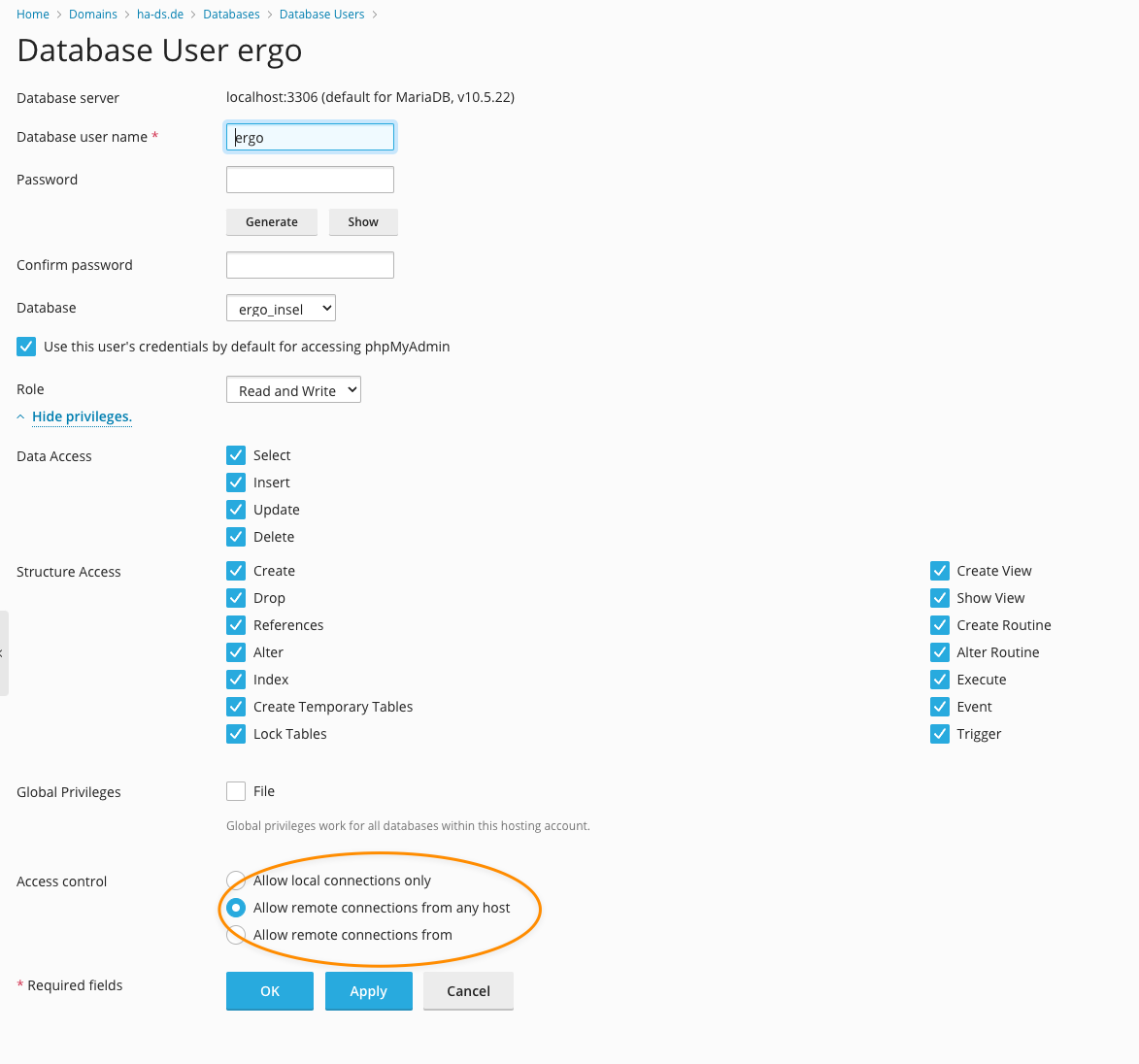
Here you need to „Allow remote connections from any host“: